
To Delete Prospect or Lead Outlets, please follow the steps below:
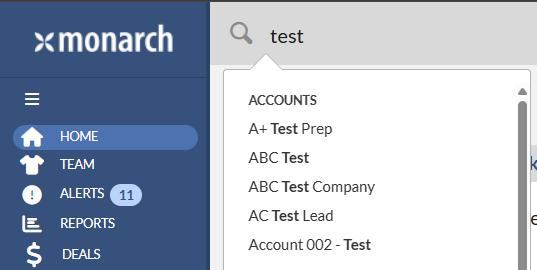
1. Navigate to the Account Profile by typing the account name in the global search. Then click the account name in the pop-up list.
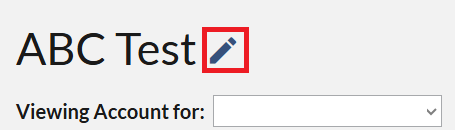
2. On the Account Profile, click the Edit button (Pencil Icon).
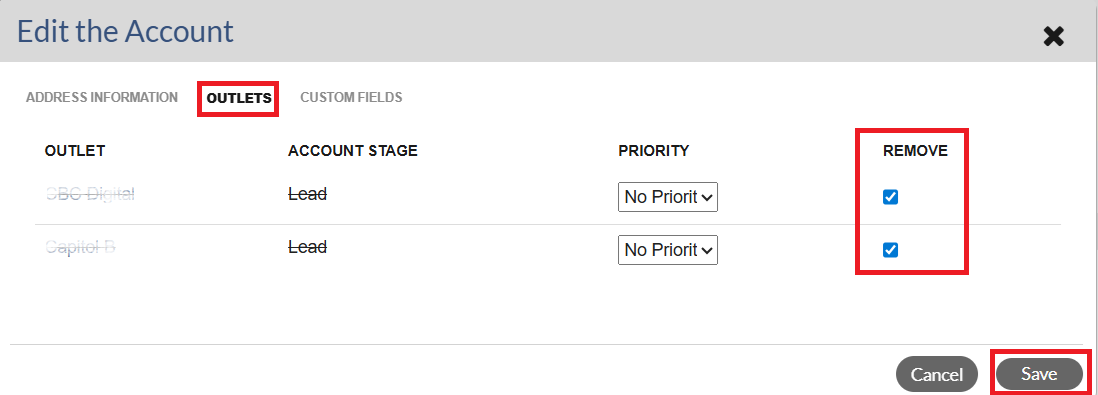
3. In the Edit the Account window, click the Outlets tab.
4. Check the Remove box(es) for the Outlet(s) that you wish to delete. If you remove all the outlets on the Account, the Account will be automatically deleted.
5. Click the Save button.
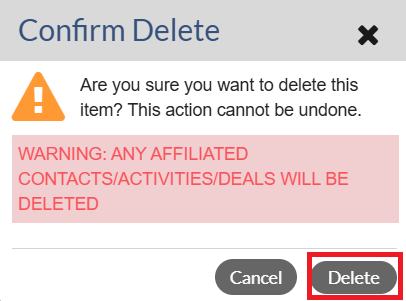
6. Click the Delete button to confirm.
Note: A Manager must be part of a Lead group in order to delete leads in Matrix. If you are interested in activating this feature, please contact your Success Manager for more information.